
Notes + Word Counter :NOTEBOSS2.4.3 - Get APK
You'll be able to download in few seconds.
Publisher Description
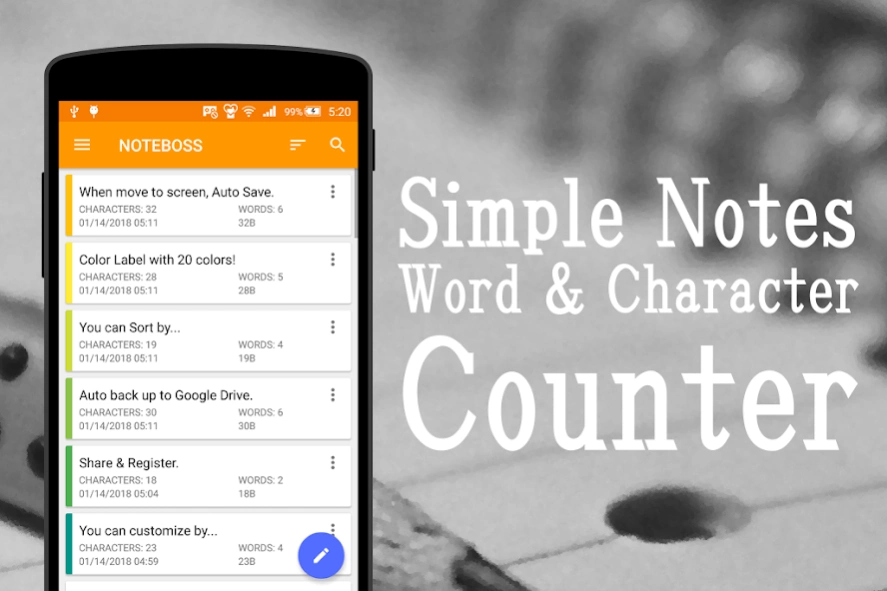

Free Notes (Notepad) to count words, characters, and bytes as soon as you write!
It’s a free Notepad app to count words which enumerates as soon as you write.
In addition to "word count", "character count" and "byte count" are also available.
It’s useful for writing with limitations on number of words or characters, such as reports, essays, columns, speech manuscripts, novels, etc.
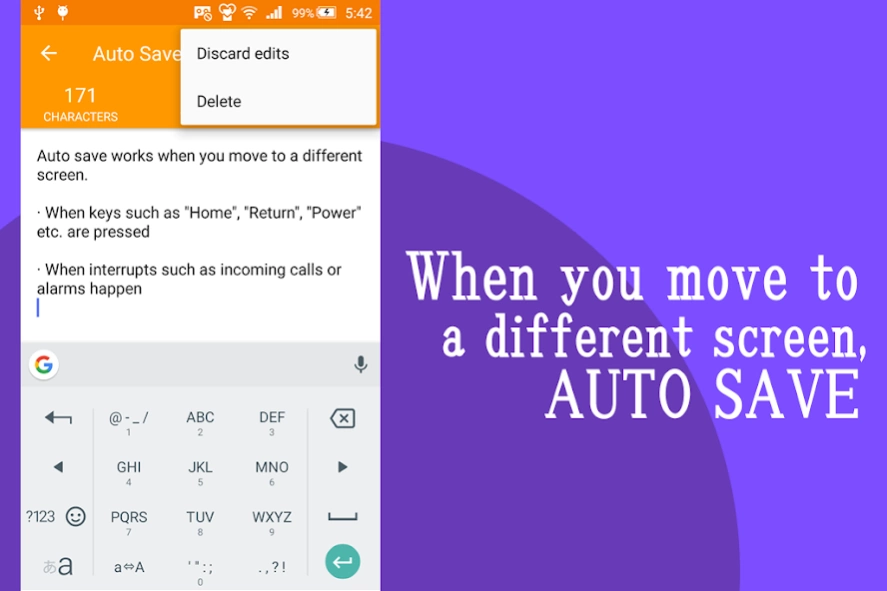
Auto save
Auto save works when you move to a different screen.
· When keys such as "Home", "Return", "Power" etc. are pressed
· When interrupts such as incoming calls or alarms happen
Color label
According to your purposes, "Color label" with 20 colors are available.
Sort
You can sort by update date, creation date, title, memo order.
Automatic backup to Google Drive
You can back up notes automatically to Google Drive.
(* Initial setting is OFF, you can also manually back up with OFF.)
Share
Share you notes with other apps. They can be converted to ".txt" format and stored in your device. You can also send without saving.
Register notes from other apps
You can register notes directly from the "Share" menu of another apps.
Register notes from text file
You can register notes directly from text files included in mail attachments, file managers, drives, etc. by "Open with" operation.
Take a note directly
By setting the "Get to note directly" on the setting to ON, the app shows the note screen directly when it starts up.
(* When it is set to "OFF" as default, the notes list screen is displayed.)
Customize
You can customize the app by changing font size, or displaying update date and time.
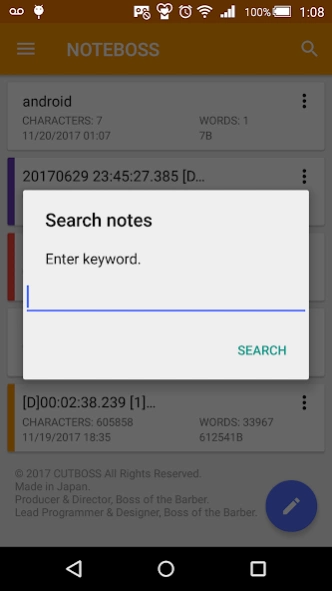
Find your notes
Please enter keywords in the search bar to find notes.
Here’s the main functions.
- Count "number of words" as soon as you write
Ex. 1) Word Count in Notes → 4
Ex. 2) i'm you. → 2
Ex. 3) do you live in real-time ??? → 5
- Count "total number" of entered characters as soon as you write
Ex. 1) Google → 6
Ex. 2) Word Counter in Notes → 21
Ex. 3) i am a pen. → 11
*) Line breaks aren't included in number of characters
- Count "number of bytes" as soon as you write
- Auto save of your notes
- Share your notes with other apps
- Convert your notes to ".txt" format
- Delete your notes whenever you like
- Enter title
- Discard edits
- The input characters’ limit is due to your android device, there is no limit set by the app
Note:
・Installing is free.
・You can "remove ads" by purchasing the "Ads removal option".
・If you are using Android OS 6.0 and up, you can set auto backup (data sync: max 25MB) by setting the device's standard function "Backup & reset" to "ON".
SETTINGS
・Get to note directly: ON / OFF
・Auto keyboard: ON / OFF
・Font size: Tiny / Little / Small / Medium / Large / Big / Giant / Huge
・First cursor position: Beginning of sentence / End of sentence
・Count bytes: ON / OFF
・Display the updated date and time: ON / OFF
・When device is rotated: Rotate the contents of the screen / Stay in portrait view / Stay in landscape view
・Language: Japanese / English / Korean / Chinese (Simplified) / Chinese (Traditional)
・Count line breaks: ON / OFF
・Count spaces: ON / OFF
・Specify characters and lines: ON / OFF
・Link web urls: ON / OFF
・Link e-mail addresses: ON / OFF
・Link phone numbers: ON / OFF
・Link map addresses: ON / OFF
・Character encoding: ISO-2022-JP (JIS) / SHIFT_JIS (SJIS) / EUC-JP / UTF-8 / UTF-16BE / UTF-16LE / UTF-32BE / UTF-32LE / ISO-2022-KR / EUC-KR / ISO-2022-CN / BIG5 / EUC-TW / GB18030
・Ads removal option: hide all ads
REQUIRES ANDROID
5.0 and up
Made in Japan.
© CUTBOSS
Producer & Director, Boss of the Barber.
Lead Programmer & Designer, Boss of the Barber.
About Notes + Word Counter :NOTEBOSS
The company that develops Notes + Word Counter :NOTEBOSS is CUTBOSS. The latest version released by its developer is 2.4.3.
To install Notes + Word Counter :NOTEBOSS on your Android device, just click the green Continue To App button above to start the installation process. The app is listed on our website since 2018-03-10 and was downloaded 0 times. We have already checked if the download link is safe, however for your own protection we recommend that you scan the downloaded app with your antivirus. Your antivirus may detect the Notes + Word Counter :NOTEBOSS as malware as malware if the download link to cutboss.noteboss is broken.
How to install Notes + Word Counter :NOTEBOSS on your Android device:
- Click on the Continue To App button on our website. This will redirect you to Google Play.
- Once the Notes + Word Counter :NOTEBOSS is shown in the Google Play listing of your Android device, you can start its download and installation. Tap on the Install button located below the search bar and to the right of the app icon.
- A pop-up window with the permissions required by Notes + Word Counter :NOTEBOSS will be shown. Click on Accept to continue the process.
- Notes + Word Counter :NOTEBOSS will be downloaded onto your device, displaying a progress. Once the download completes, the installation will start and you'll get a notification after the installation is finished.
Program Details
System requirements
Download information
Pricing
Version History
version 2.4.3
posted on 2018-03-10
Ver.2.4.0
・Added the "Ads removal option (FREE Trial)" function.
Ver.2.3.0
・Added the "Link web urls" function.
・Added the "Link e-mail addresses" function.
・Added the "Link phone numbers" function.
・Added the "Link map addresses" function.
Thank you very much for using "NOTEBOSS". We would appreciate your comments or requests, please write anything on the review corner. Your comments will be great help for us to improve our app.
Disclaimer
External Download
We do not host Notes + Word Counter :NOTEBOSS on our servers. We did not scan it for viruses, adware, spyware or other type of malware. This app is hosted by Galad and passed their terms and conditions to be listed there. We recommend caution when installing it.
The APK Download link for Notes + Word Counter :NOTEBOSS is provided to you by apps112.com without any warranties, representations or guarantees of any kind, so access it at your own risk.
If you have questions regarding this particular app contact the publisher directly. For questions about the functionalities of apps112.com contact us.
